This is the wiki for products made by Fractal Audio Systems. Maintained by members of the community.
ICONS
This is a new Fractal Audio product. Information will be added when it becomes available
Contents
About ICONS
ICONS is Fractal Audio's plugin series for DAW and desktop.
FRACTAL AUDIO QUOTES
[1] ICONS brings Fractal Audio’s industry-leading amp modeling to the world of plugins—and to your desktop as a standalone app. Built on the same algorithms as the award-winning Axe-Fx, ICONS delivers the unmistakable sound and feel of Fractal Audio—now for modern recording and computer-based workflows.
ICONS is a series, and our first release is The Fullerton Collection, based on the best of American-style amps from Fullerton, CA, in the ’50s, ’60s, ’70s, and beyond.
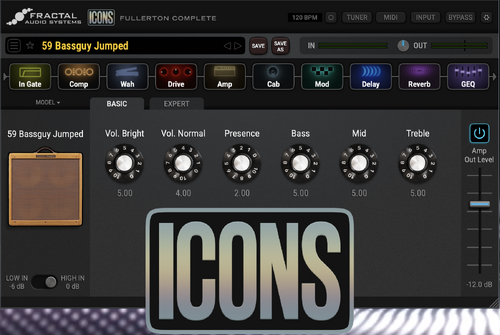
[2] This is our "pseudo-skeuomorphic" approach that we are using for new products. There are hints of skeuomorphism but not fully skeuomorphic. Your brain sees enough visual cues to understand the lineage of the amp but without the clutter of a full skeuomorphic implementation.
[3] The modeling is a direct port from the hardware code-base.
ICONS is sold exclusively through Fractal Audio's online shop
Volumes
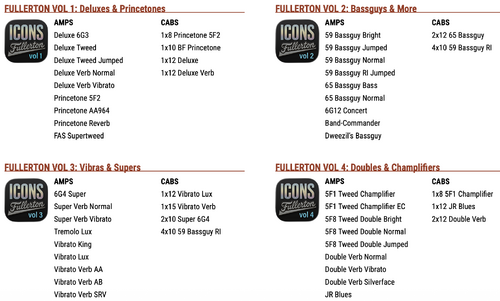
The currently available volumes are listed below.
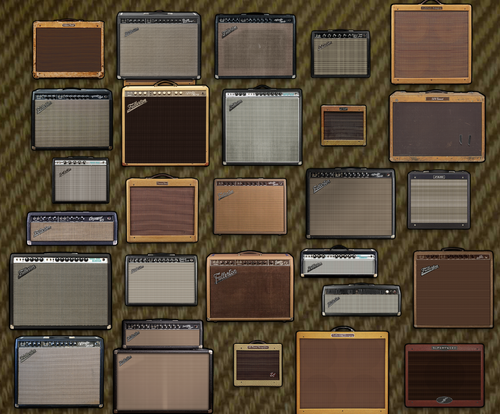
The amps in the Fullerton volumes are component-based models of Fender amplifiers. Fullerton was the location of the Fender factory in the past.
For specific information about the modeled amps, cabs and effects, consult Fractal Audio’s Owners Manuals and this wiki, especially the Amp models list page.
System requirements
The Owners Manual lists the system requirements for Windows and MacOS.
ICONS uses iLok protection for authorization. A hardware dongle is not required.
References
Website | Owners manual | Press release
The manual covers everything, from requirements and installation, to configuration and usage. Therefore, the information in the manual will not be repeated on this page.
Third-party audio interfaces
ICONS needs an audio interface to allow signal from the instrument to enter the computer, and if necessary, to monitor the audio output. This can be a Fractal Audio device that supports USB Audio (Axe-Fx, FM3, FM9, AM4, VP4), or a 3rd party product.
The following sections discuss third-party audio interfaces and provide tips to optimize the interaction with ICONS. Over time information will be added to this section.
